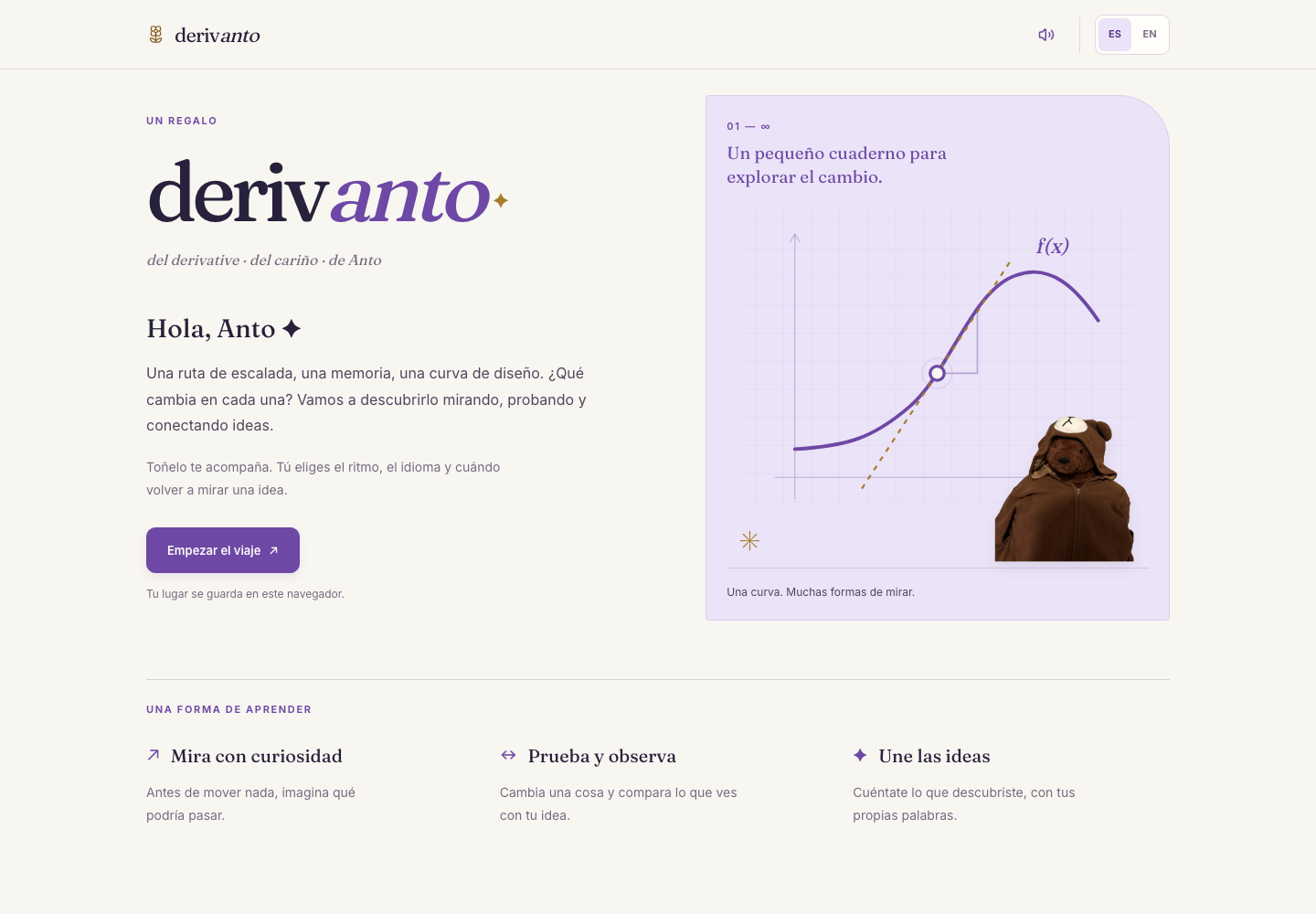
I made Derivanto as a gift for my wife. It's a calculus app in Spanish and English. Toñelo, our bear, accompanies the lessons.
I used examples from climbing, psychology, memory, and design, which are things she cares about. You can move a point, change a curve, or add more rectangles under a graph and see what happens before getting into the notation.
DerivantoExplore the app
Eight chapters
The chapters start with Zeno's paradox and work through slopes, derivatives, families of functions, integrals, and the fundamental theorem of calculus. The last two chapters explore applications and end with a reflection. All eight are open, so you can follow the sequence or revisit a topic.
Lessons combine short explanations with interactive figures. Practice offers hints, feedback, and the option to reveal an explanation or skip a question. Each chapter remembers its own place, including unfinished practice and the feedback you've already seen. Switching chapters or languages keeps the exploration controls intact.
Try an idea, then look at the figure
Many lessons include an optional question about what you expect to happen. Each answer gives a specific explanation and something to try in the figure. You can revise your answer, move the control, and compare the result with where you started. Visual cues and small exploration goals are available when you want them.
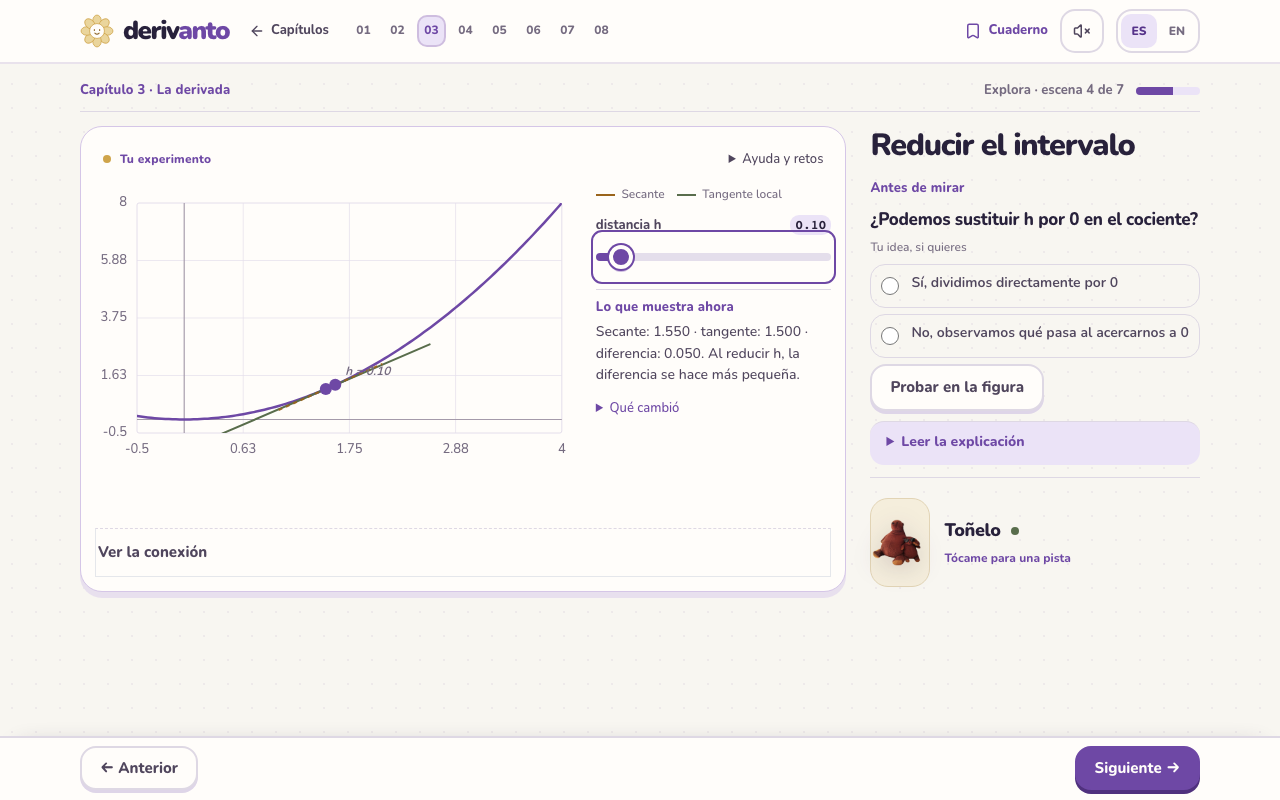
The application exercises also ask you to explain a relationship in the model. You choose two statements, check them against its current values, and get feedback on each one. Changing the model means checking the explanation again.
A notebook of discoveries
You can save a discovery with a picture of the figure, its control values, and the observation at that moment. The notebook lets you reopen those settings and revisit the question. Application explorations also save their checked explanations and can be reopened without moving your place in practice.
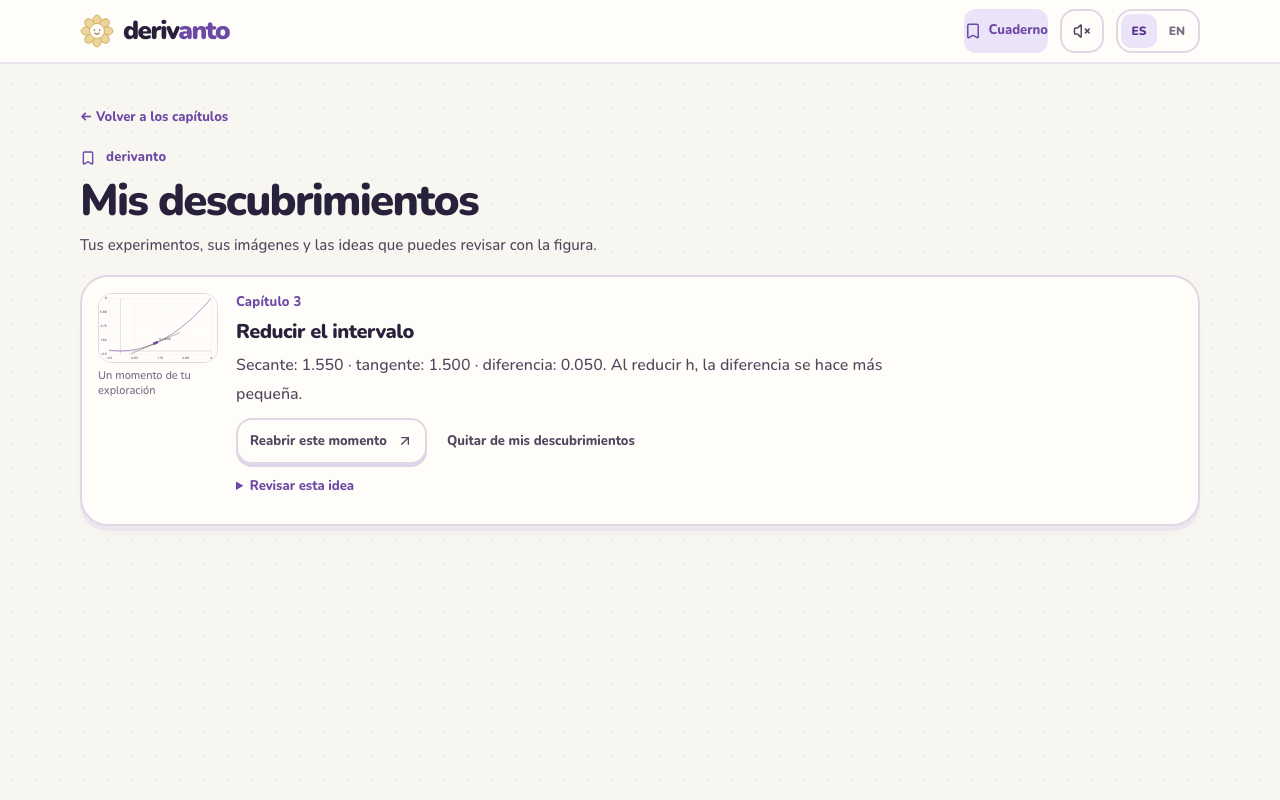
Progress and discoveries stay in the browser. There is no account or cross-device sync.
Keeping the experiment within reach
In October 2026, I redesigned the interface around an ivory and purple notebook. Playing through it showed that the layout still asked for too much scrolling: a figure, its control, and its feedback could end up far apart.
I adjusted the workspace for phones and shorter laptop screens. On a laptop, the figure sits beside the explanation. On a phone, predictions and help open above the figure when needed. Paired graphs share their control, and the applications gallery opens one exploration at a time. Navigation stays within reach, while longer explanations and notebook details can be expanded.
Toñelo stays near the explanation. Sound can be muted, and animation follows the device's reduced-motion setting. Figures include descriptions and keyboard or tap alternatives to dragging.
How it works
The app uses React, TypeScript, Vite, and Tailwind CSS, with lazy-loaded chapters and Zustand for local progress. Most figures are custom SVG and canvas components: curves, tangent lines, draggable points, area fills, and Riemann sums.
mathjs handles editable formulas, KaTeX renders notation, and Paraglide provides the two languages. Three.js and React Three Fiber handle surface slices, Riemann prisms, and an orbital exploration. IndexedDB stores the notebook pictures.
I worked on the explanations alongside the code. Each figure needed a question that connected what you see with the math, and feedback that responded to the actual model. Unit tests check the calculations; browser tests in Chromium and WebKit check the lesson flows, saved discoveries, language changes, and responsive layouts.