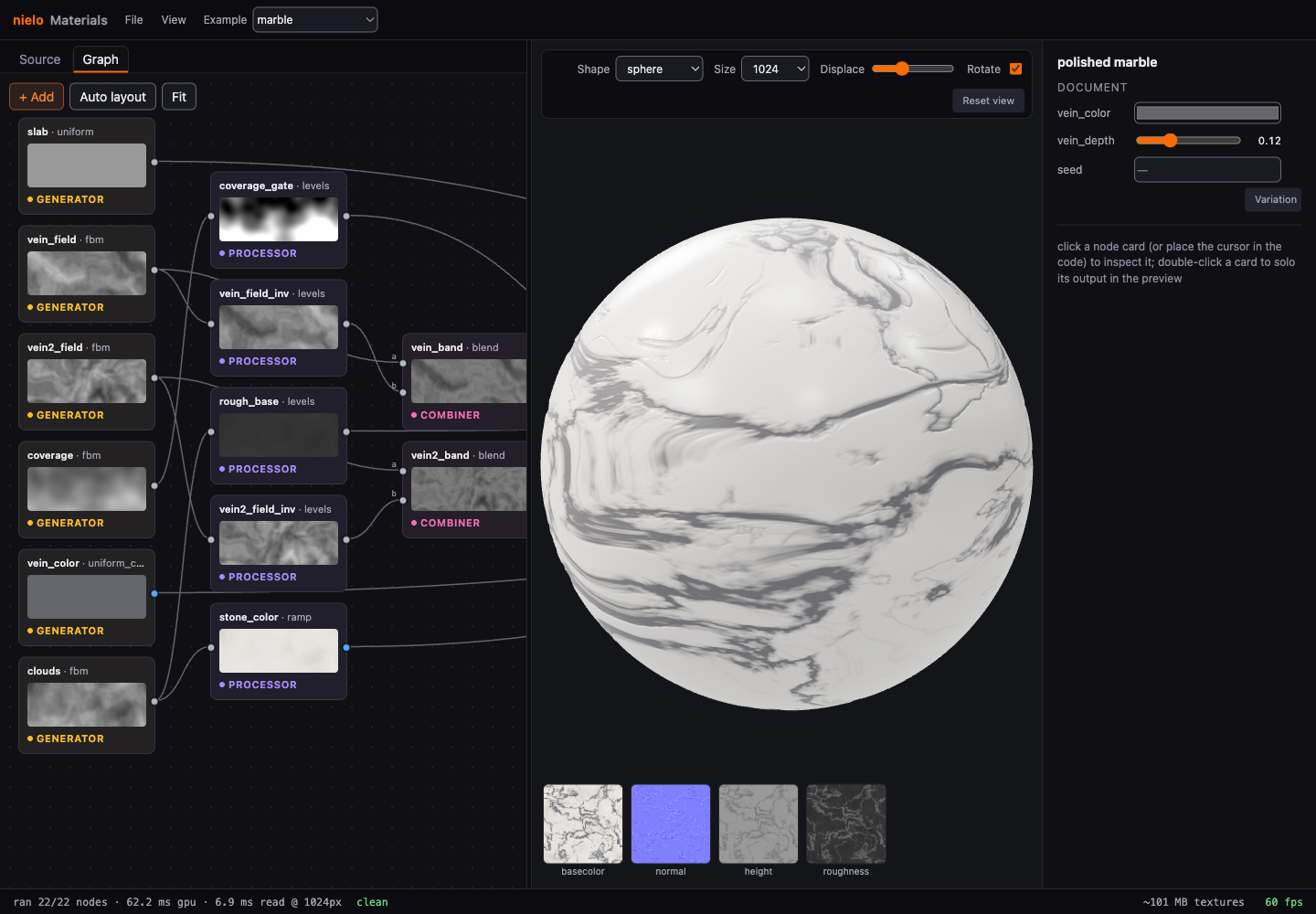
I built Nielo Materials to make procedural textures from readable node graphs. I wanted to edit a material visually and still be able to inspect the file that produces it.
Nielo MaterialsOpen the free web app
The material document
Every material is a readable .nielo.json file. It describes the nodes, their connections, the exposed parameters, and the outputs for base color, normal, roughness, and height.
The source editor and graph show the same file. Moving a slider or reconnecting a node updates the text. Editing the text updates the graph and preview.
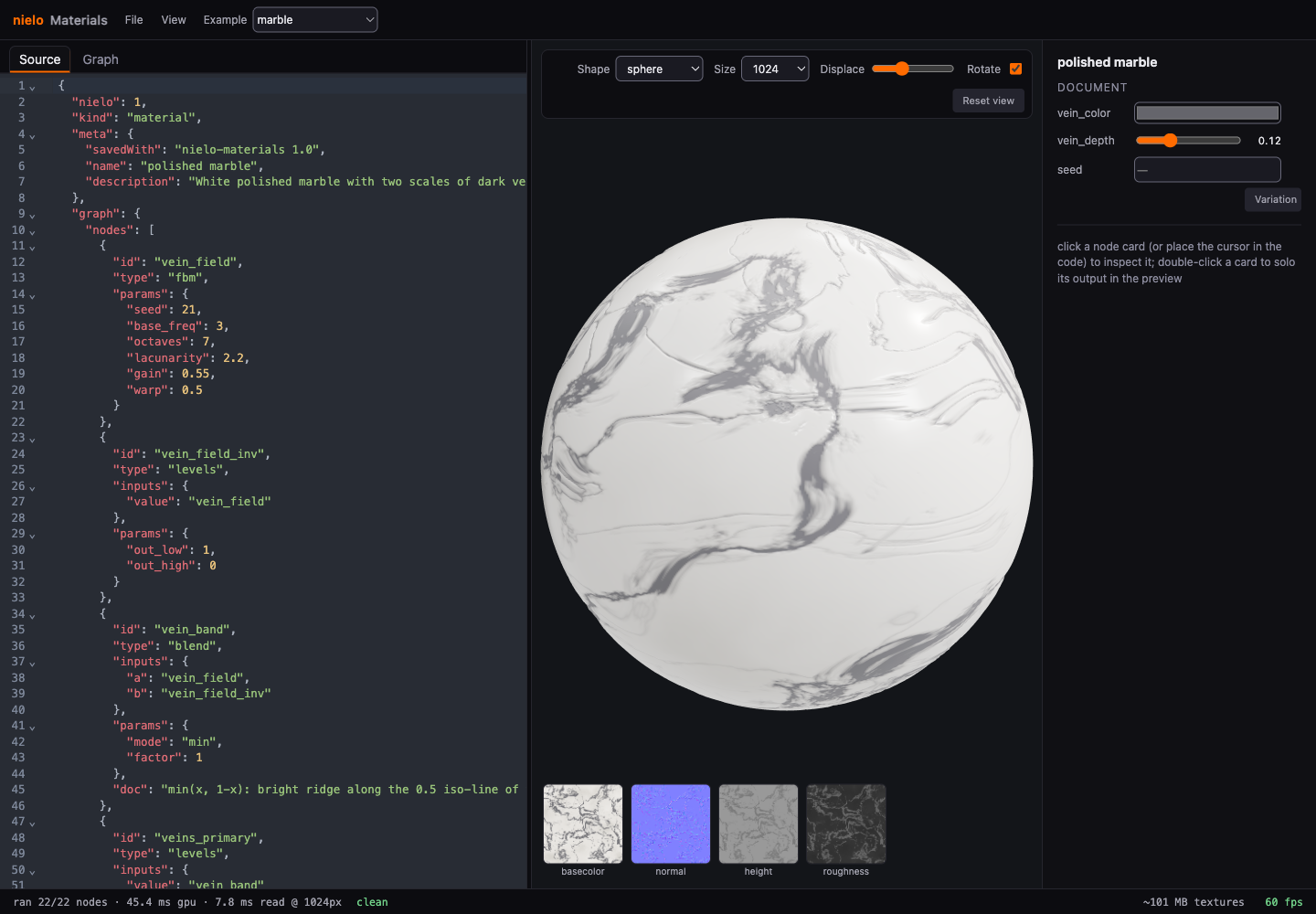
The plain-text format lets me keep materials in Git, review changes, share them in a URL, and edit them with an agent. I can still use the visual editor.
Browser and command line
The browser app renders with WebGPU, keeps a lit 3D preview beside the graph, and shows the individual texture maps. I also built command-line tools for validation, headless rendering, visual comparisons, and exports for Unity, Unreal, and Godot.
Both use the same core. The sphere in the browser and the textures going into a game come from the same document.
Repeating a material
These textures need to tile cleanly, so the generators use periodic coordinates to keep the edges continuous. Randomness is explicit too: Variation changes the seed, while keeping it produces the same material again.
Node versions and reference-image tests help protect existing materials when algorithms change. Reproducing a render also means keeping its document, seed, and engine version.
The web editor is free to use. The command-line tools are part of my private source project; I haven't published the source or packages yet. Materials is one of the tools in Nielo, alongside SFX. I'm also working on 3D, vector, and pixel editors, which are still local development projects.